


How to switch music distributors and keep your streams
LANDR’s migration tool makes it easy and fast to switch music distributors and keep all your streams.

How to switch music distributors
Here’s everything you need to switch music distributors.

Step 1: Collect metadata for each release
Gather song names, artist information, writing credits, and most importantly, the ISRCs that identify your track to streaming platforms and royalty collection agencies.

Step 2: Gather your original audio files
When switching music distributors, you must use the same audio you used in the original release. Audio files also must be in 44.1kHz/16bit WAV, FLAC, or AIFF format.

Step 3: Use your original album art
It's best practice to use the same album artwork used in the original release. It must be at least 1,500 x 1,500 pixels, with a maximum of 6,000 x 6,000 pixels.

Step 4: Upload audio files, artwork, and metadata
Once you’ve collected all data, files, and audio, upload them to your new music distribution service and follow the instructions outlined in its release wizard.

Step 5: Double-check and finalize
Remember, to successfully migrate any release, all metadata must be an exact match with the original. Make sure to double-check everything you’ve entered before finalizing your release.

Step 6: Wait to take down the old release
Once your release is finalized, do not immediately take down the original release. You must wait until your new release is approved, live on all stores, and successfully merged before taking down the old release.

LANDR Distribution makes migration easy
Skip tedious metadata entry and start a new release in seconds with LANDR’s release importer tool. See how it works below.
Quickly import your release to LANDR Distribution
LANDR makes it easy to switch music distributors in 7 steps:
- Create your LANDR account
- Open the LANDR Distribution dashboard
- Click “Import a release”
- Paste the Spotify URL of the album, EP, or single you want to import
- Your metadata, ISRC, song names, and artist info will automatically populate a new LANDR Distribution release
- Add any missing information, upload the original audio files, and submit your release!
- Once the release is live, remove it from your previous distributor
Ready to switch to LANDR? Unlimited distribution is included with all LANDR Distribution and LANDR Studio plans.
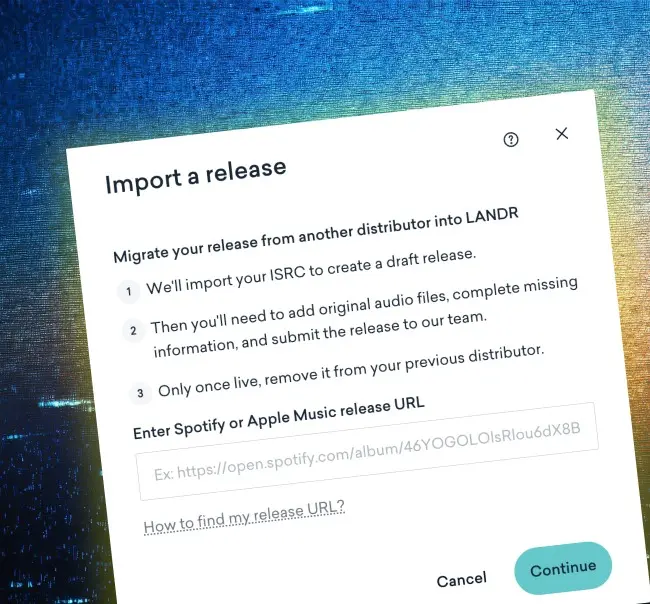
Transfer ISRCs instantly
When a recording is commercially released, it's assigned an International Standard Recording Code (ISRC). The same recording should keep that ISRC when it's distributed through a new distributor. This code uniquely identifies your recording and helps streaming platforms, distributors, and rights organizations track usage and accurately report associated royalties.
LANDR’s release importer:
✔ Automatically identifies your song’s ISRC
✔ Imports your ISRCs into the new release
✔ Ensures release data formats correctly for all platforms
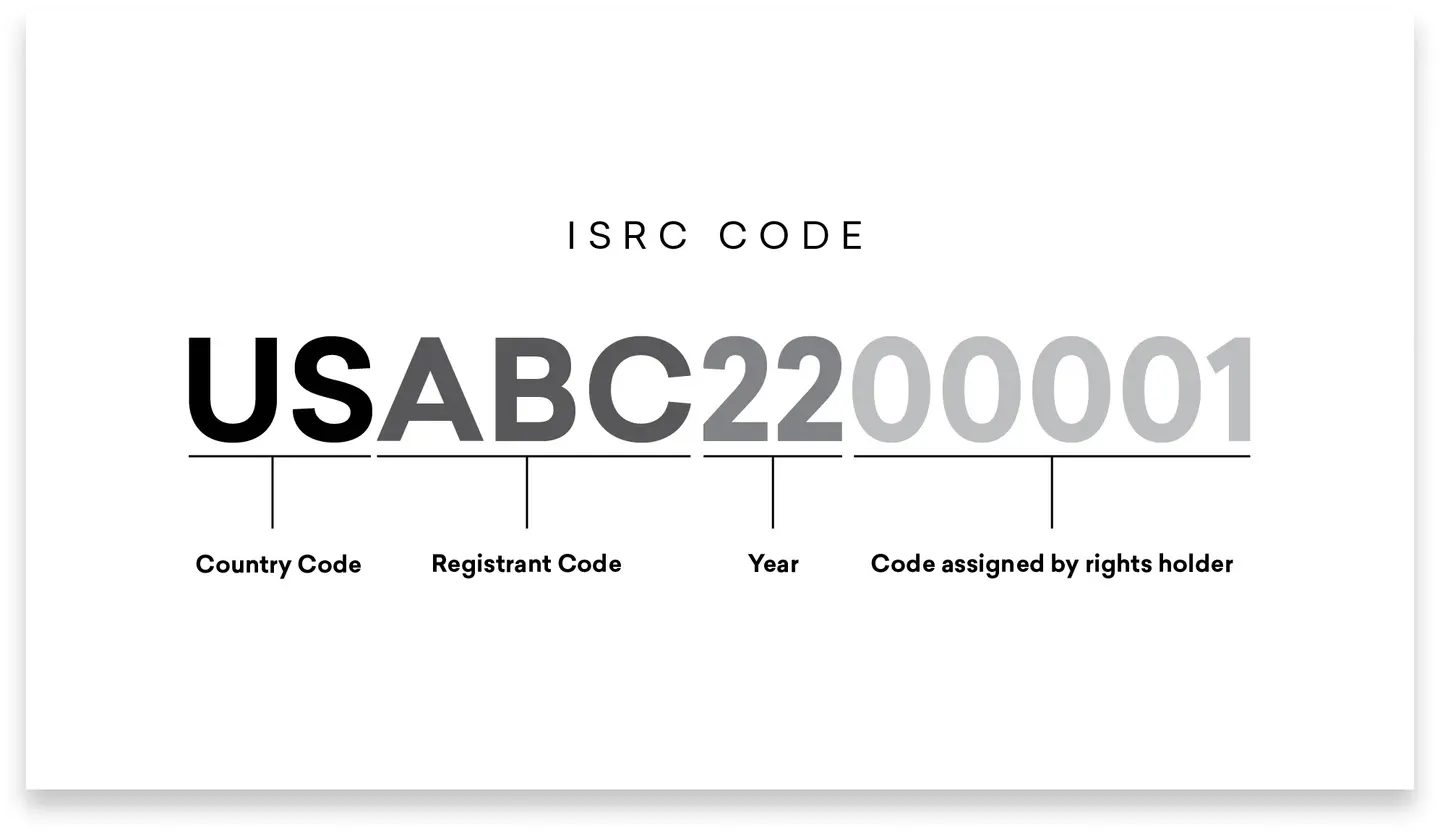
Keep your streams, always
As long as migration is successful, changing distribution services won’t affect your streaming counts or playlist placements. LANDR automatically matches your track to its ISRC, meaning your tracks are always tied to any streams associated with the original release.
Switching to LANDR Distribution:
✔ Will never cause your songs to lose their streams
✔ Will never impact your Spotify or Apple Music artist profile
✔ Will never make you lose your placements on playlists
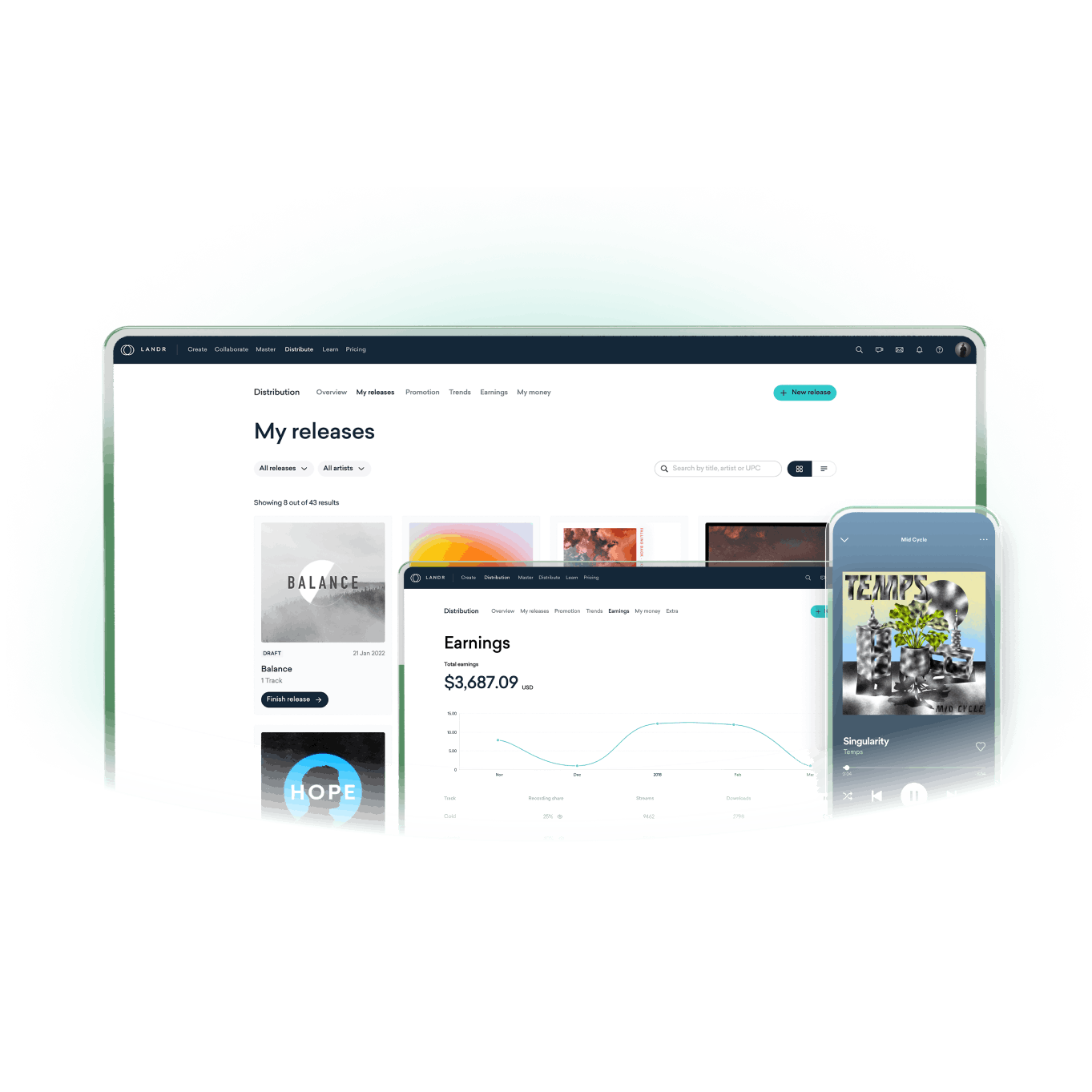
Get more with LANDR Distribution
Release your music confidently with the most comprehensive distribution service in the game. Dive into advanced metrics and trends, split royalties with your collaborators, monetize your music on social media and much more.
With LANDR Distribution, you can:
✔ Release to 150+ online music stores
✔ Keep 100% of your royalties
✔ Monetize your music on YouTube, Instagram, and TikTok
✔ Manage your releases from the LANDR Mobile App

Easily switch to LANDR Distribution
Get unlimited distribution, YouTube Content ID, revenue splitting, and promolinks, all while keeping 100% of your royalties.

FAQ
Can I import from any streaming platform?
What is required on my end for a music migration?
Can I change my songs as part of a release migration?
Will I lose playlist placements or streaming numbers if I change distributors?
If I change distributors, can I collect royalties from a previous distributor?
Does LANDR’s release importer capture all of my song’s metadata?
Can I have two music distributors?


